Sample report
Link check
A familiar-looking shop name appears before the destination.
See the fictional input
- Fictional web address
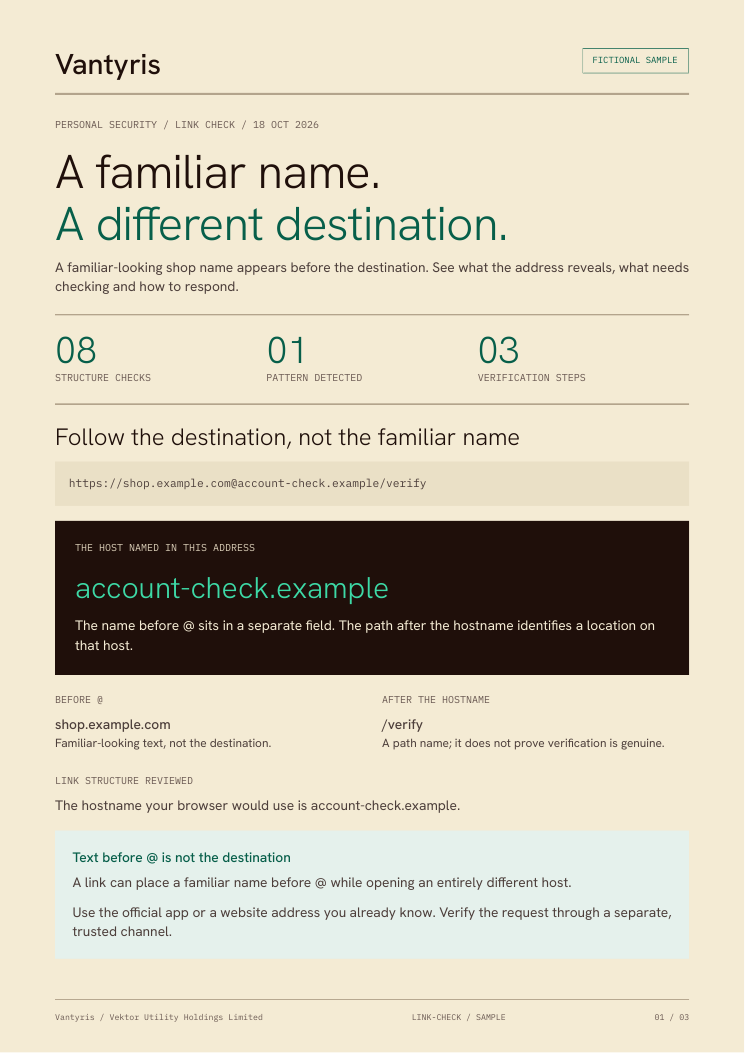
- https://shop.example.com@account-check.example/verify
Link structure reviewed
The hostname your browser would use is account-check.example.
Text before @ is not the destination
A link can place a familiar name before @ while opening an entirely different host.
Next step: Use the official app or a website address you already know. Verify the request through a separate, trusted channel.
HTTPS and a familiar-looking name do not prove a site is trustworthy. This check does not open links, follow redirects, inspect content or consult reputation lists. No listed warning signs does not mean safe.
See where the address leads
Read the destination before responding to the request. No link was opened.
- Protocol
- HTTPS
The requested connection method, not proof of trust.
- Text before @
- Present; contents omitted
User information is separate from the destination.
- Destination hostname
- account-check.example
The host named in this address, before any redirects.
- Port
- 443 (default)
The connection port requested by the address.
Eight structure checks, explained
1 of 8 patterns detected. These are observations, not a risk score. “Not detected” does not mean safe.
Text before @
ReviewA user-information field appears before the hostname. Its contents are omitted here.
Unencrypted HTTP
Not detectedThe address requests HTTPS. No connection or certificate was tested.
Internationalised hostname
Not detectedChecks hostname labels for the xn-- form used for internationalised names.
IP address destination
Not detectedChecks the parsed hostname for an IPv4 or IPv6 address.
Non-standard port
Not detectedThe parsed address uses the protocol's default port.
Long hostname
Not detectedFlags more than four dot-separated hostname labels; this is not an ownership check.
Known shortener pattern
Not detectedMatches six common shortener hostnames only. Other redirects remain unknown.
Encoded or hidden characters
Not detectedChecks path and query encoding, plus selected invisible or direction-control characters.
A plan you can act on
Pause the request
Do not use the link to sign in, send money or provide a code. Open the official app or a saved address you already trust.
Done when: You have reached the service through your own trusted route.
Verify independently
Check whether the same request appears in the official account. If needed, contact the organisation using a previously known number, not details from the message.
Done when: The request and destination have been confirmed through a separate channel.
Act through the official service
Complete a genuine task inside the official app or account. If the request cannot be confirmed, leave it and use the service's reporting option.
Done when: You have handled or reported the request without relying on the original link.
Already clicked or shared something?
Opened the link only?
Close the page. Do not enter information or download anything. Opening a page alone does not establish that your device was compromised.
Shared a password or sign-in code?
Use the official service from a trusted device. Change the exposed password, review recovery details and revoke unfamiliar sessions. Change it anywhere it was reused.
Sent money or shared payment details?
Contact your bank or payment provider through its official app or a known number. Explain what happened and ask about available next steps.
Installed software or allowed remote access?
Stop using the affected device for banking or recovery. If remote access is active, disconnect it from networks and contact trusted IT support.
How the address is interpreted
The browser URL parser separates the hostname from other address fields. These references explain the method; they have not assessed this link.